top of page
Order Page
Please follow the steps below to view your photos

1. Download the MySafeFrame App
Available on iPhone and Android
(Links Below)
Search for “MySafeFrame” in the App Store or Google Play.

2. Enter Your Gallery Code
Open the app
Tap “Add New Gallery”
Enter the code
Tap Access

3. Browse your photos.
Tap the heart icon to select favourites.
Add notes if needed.
Review your basket and place your order
Download the MySafeFrame App
Via the iPhone and Android store below
WaterMark and moving static lines will be removed at purchase
Purchased images will be full resolution


Sorry for the watermark but it is now required to stop images being taken without purchasing.
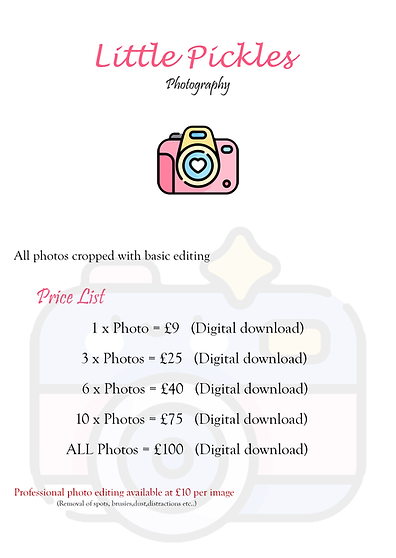
After viewing and choosing your chosen photos please click order button below and follow the steps to purchase.
You can pay via the website or bank transfer details on payment page.
Having trouble viewing photos or don`t see your childs name please contact Little_Pickles_Photography@yahoo.com
or text 07739 109293


PHOTOGRAPHY
Little Pickles
bottom of page